Bangladesh e-Passport Online Registration & Application Guide
Learn the complete step-by-step process for Bangladesh e-passport online application, payment, biometric registration, appointment booking, and police verification through the official e-passport portal.
This page provides a complete step-by-step guide for Bangladesh e-passport online registration, payment, biometric enrollment, police verification, and required document preparation.
Table of Contents
Official Bangladesh e-Passport Portal
Bangladesh e-passport application must be completed online through the official government e-passport portal. It can be completed using a mobile phone or personal computer, although using a desktop or laptop with Google Chrome browser is recommended for a better experience.
Open Official e-Passport PortalStep 1: Select “Apply Online for e-Passport / Re-Issue”
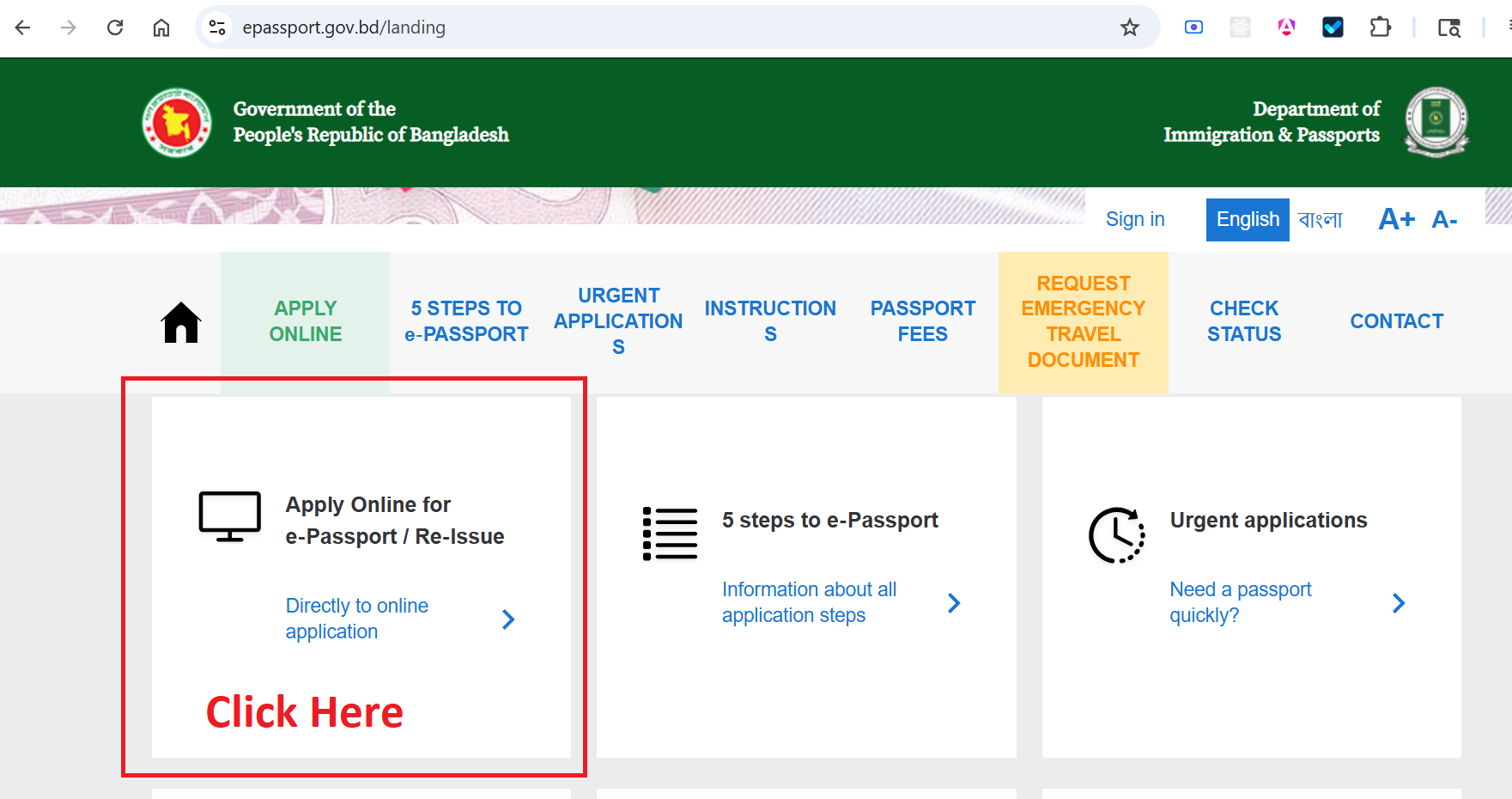
Visit the official Bangladesh e-passport portal and click on “Apply Online for e-Passport / Re-Issue” to begin your online passport application process.
Step 2: Select Your Passport Office Location
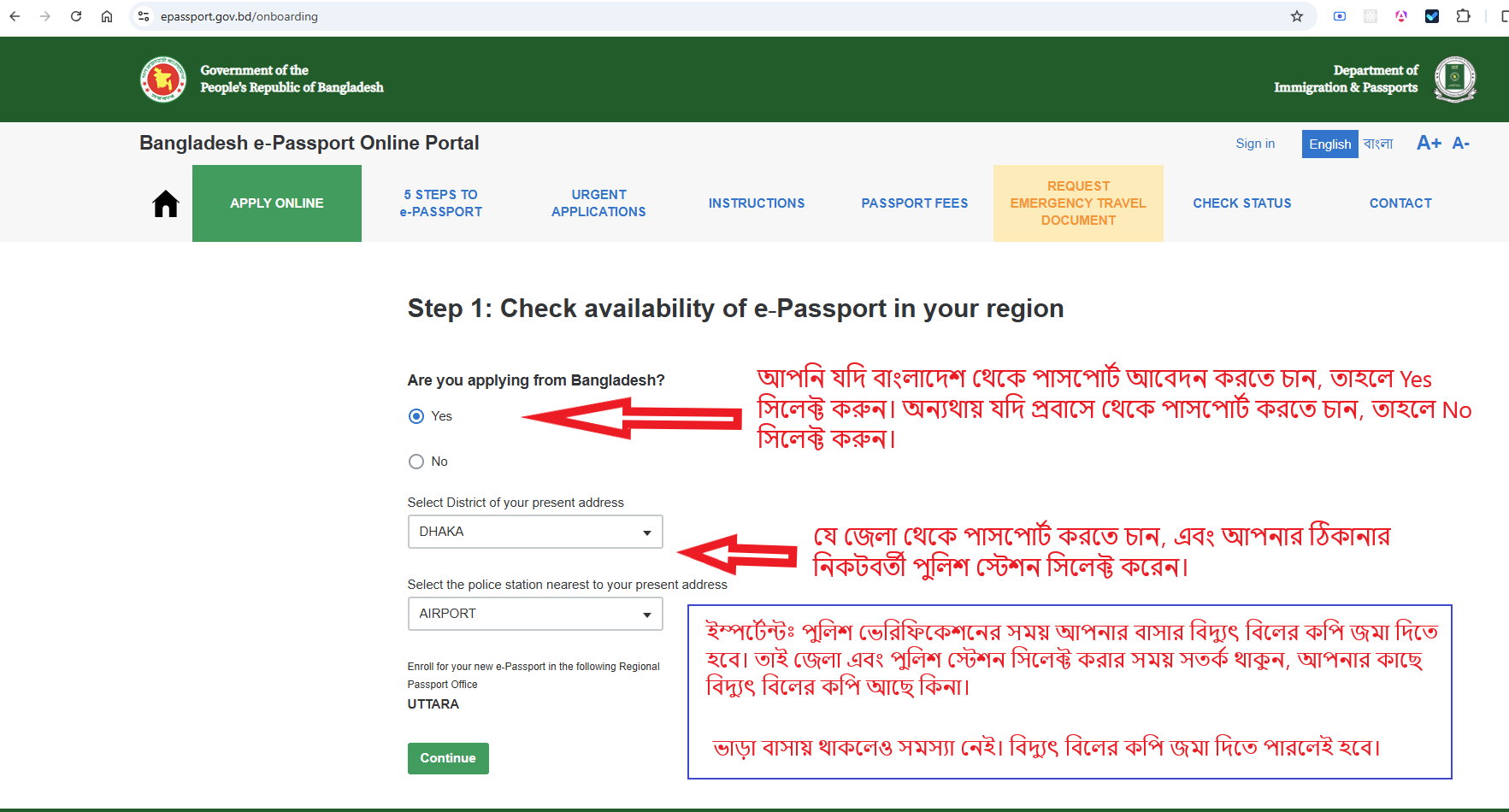
If you are currently living in Bangladesh, select your district and nearest police station area for passport processing.
If you are living abroad, select your current country and the Bangladesh embassy or mission where you want to process your passport application.
Step 3: Create Account or Login
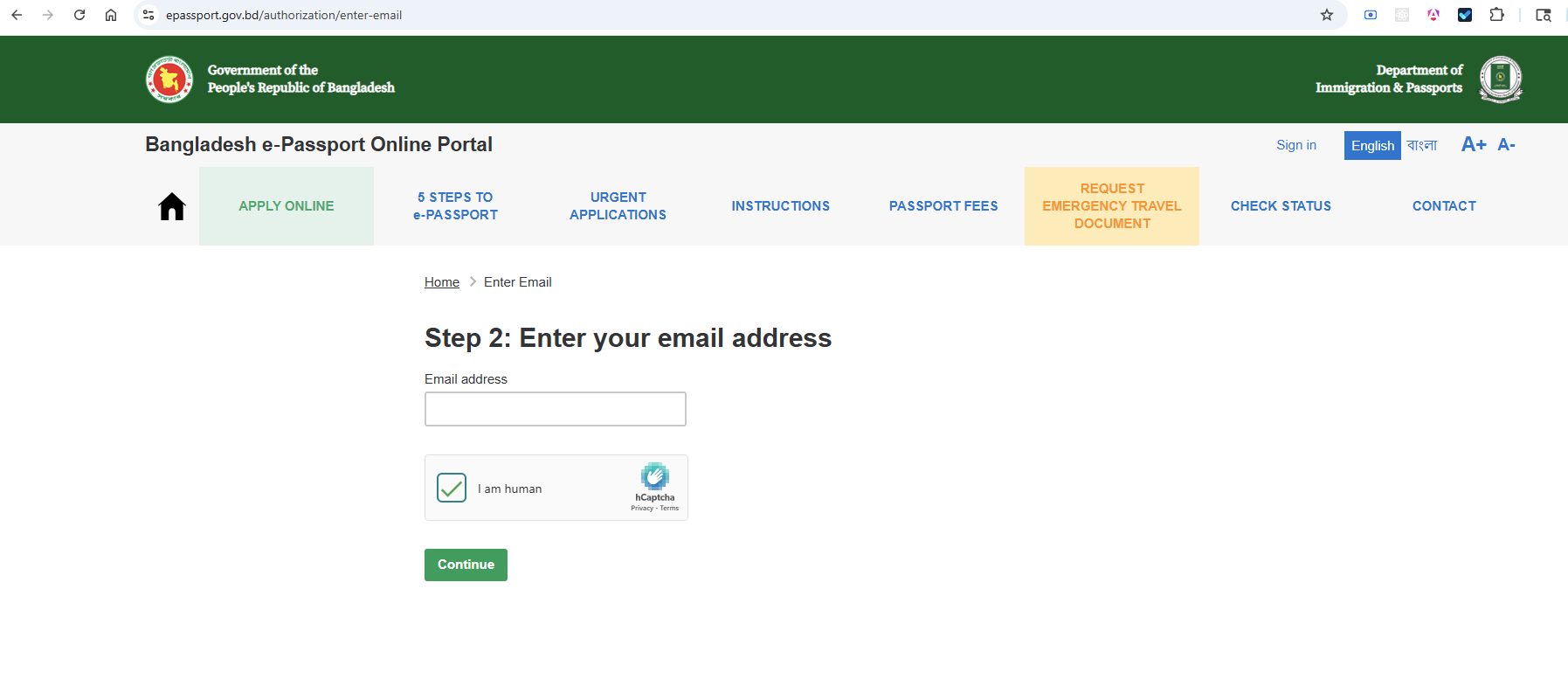
Enter your email address. If you already have an account, the system may ask for your existing passport information.
Otherwise, you will be redirected to create a new account using your email address, given name, surname, and mobile number.
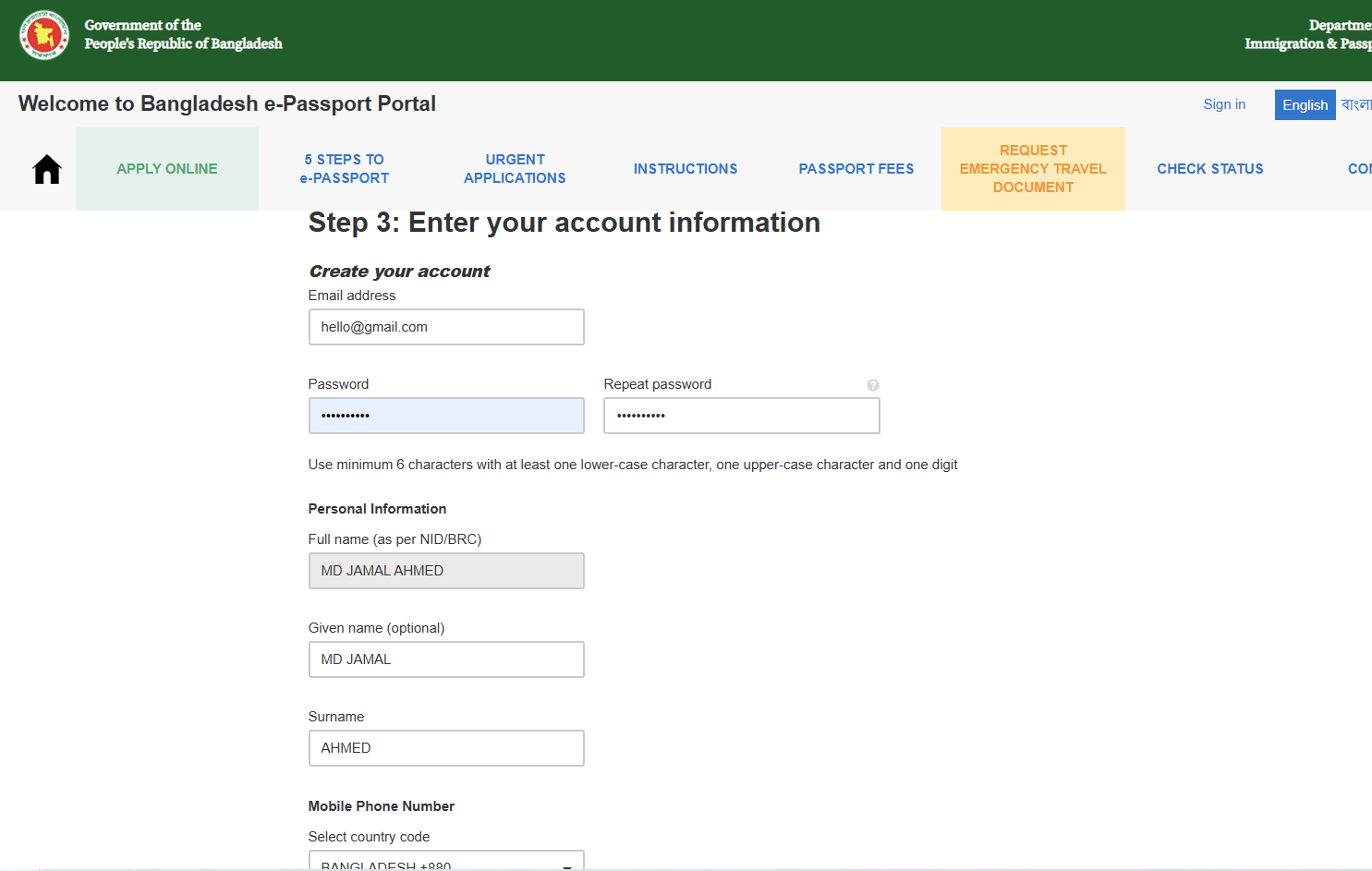
Make sure your name exactly matches your NID or Birth Certificate information.
Step 4: Apply for a New e-Passport
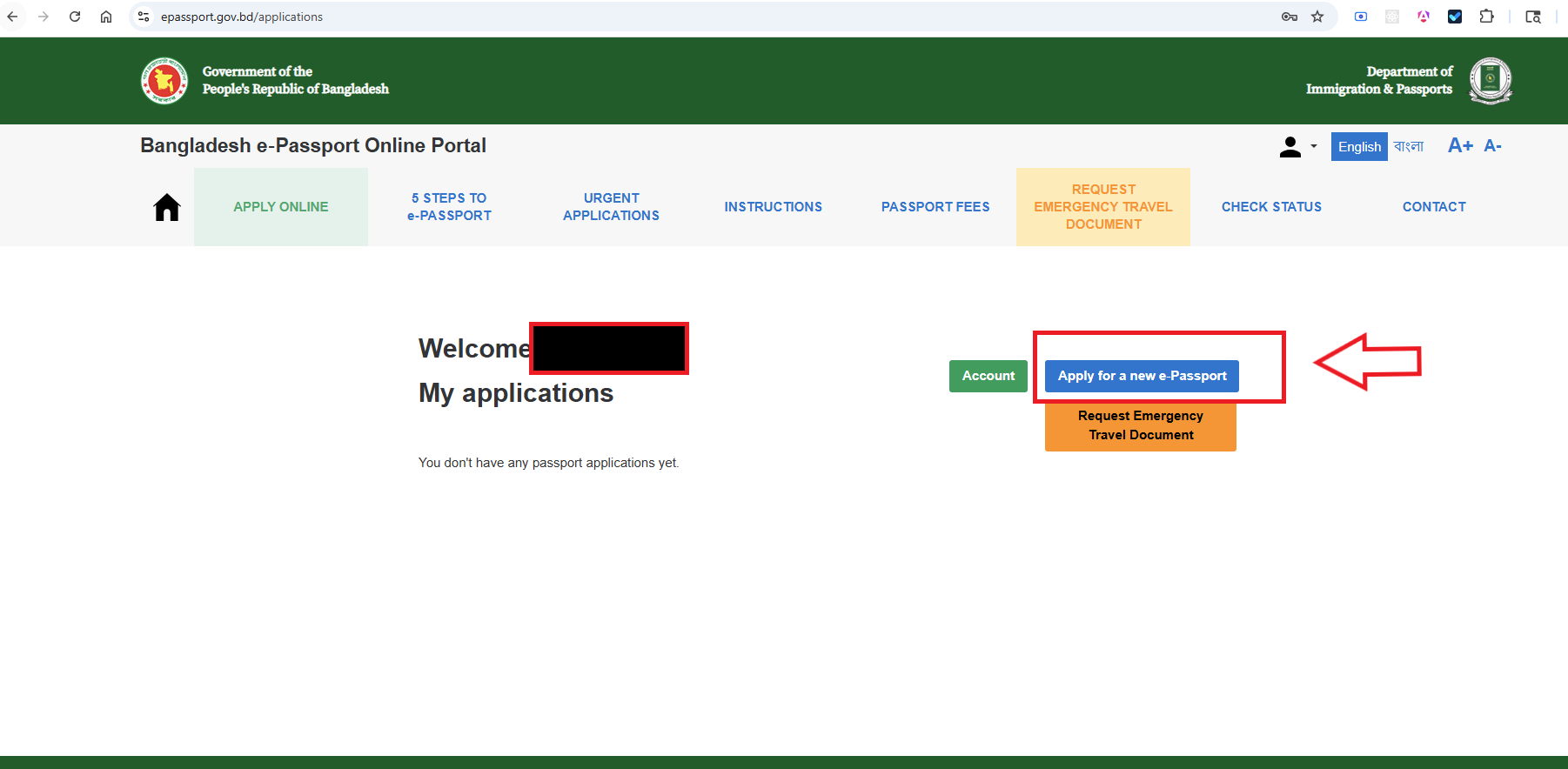
After logging in successfully, click on “Apply for a new e-Passport” to begin your passport application form.
Step 5: Select Passport Type
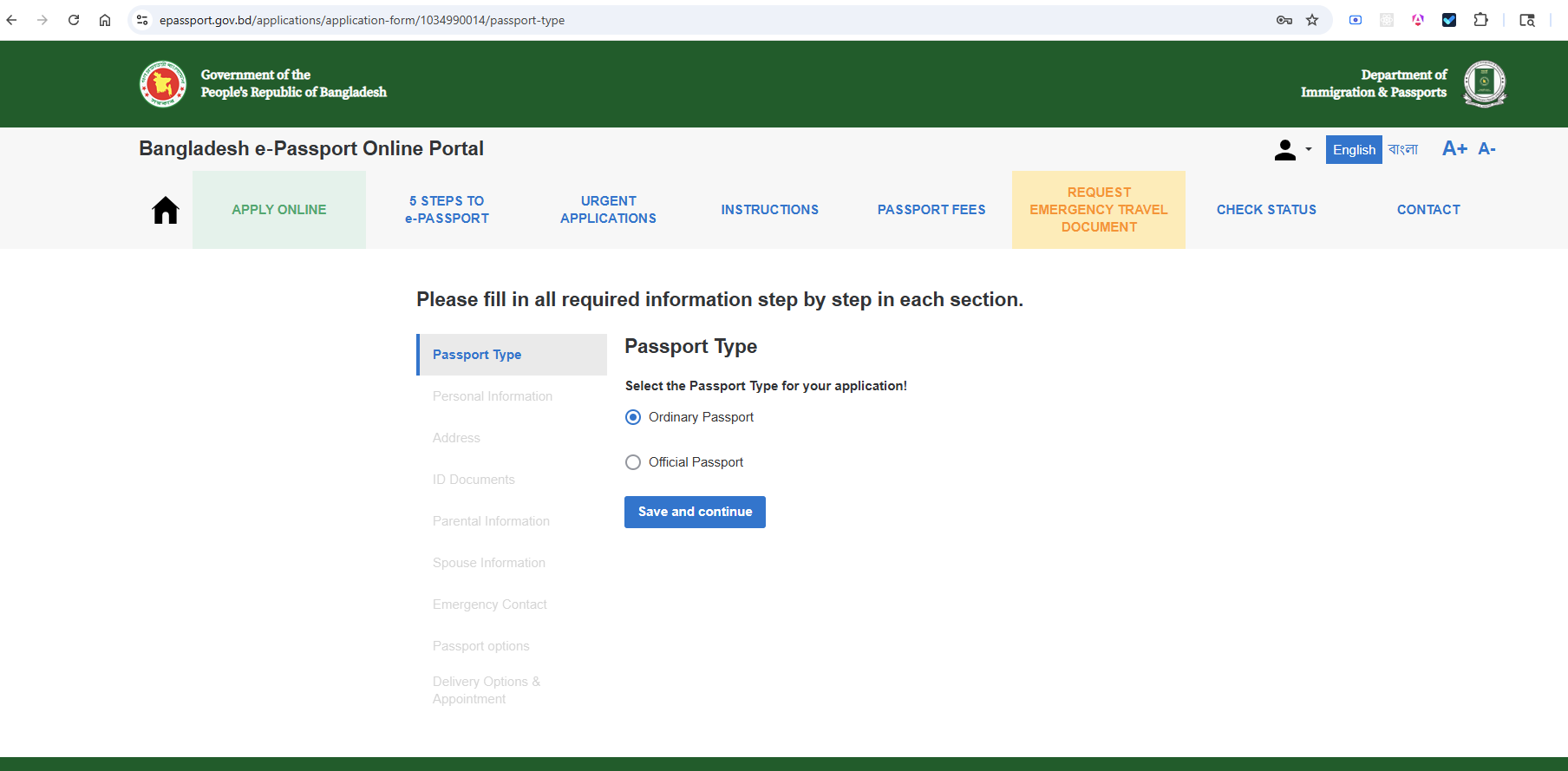
Select your passport category such as “Ordinary Passport” or “Official Passport”.
Government employees who are eligible for official passports may select “Official Passport”. Most applicants should select “Ordinary Passport”.
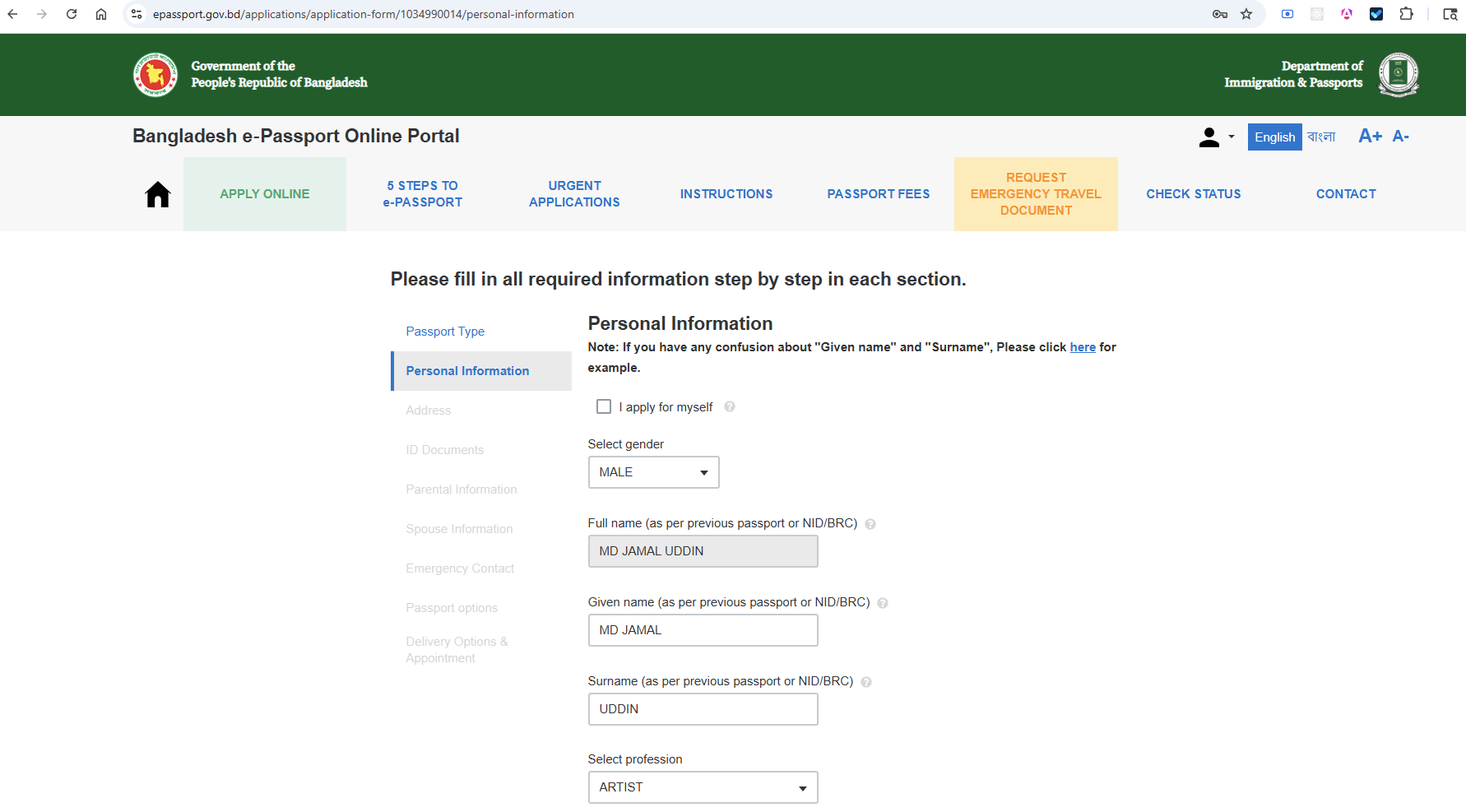
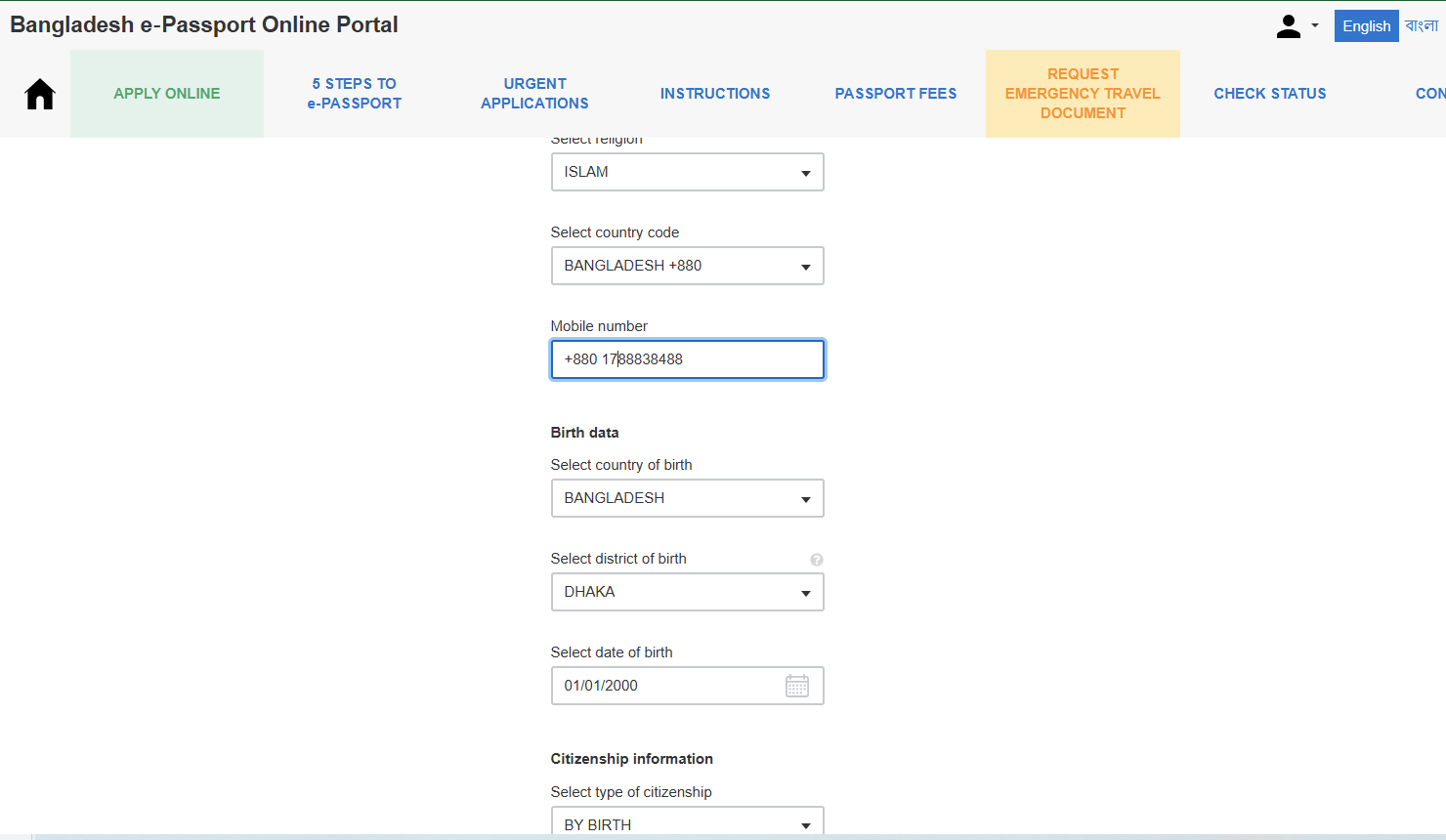
Step 6: Fill Personal Information
Fill up your personal information exactly according to your NID card or Birth Certificate including full name, date of birth, place of birth, gender, and profession.
Step 7: Fill Present & Permanent Address
Fill up both your present address and permanent address.
The present address determines where you will collect your passport and where you need to visit for biometric registration.
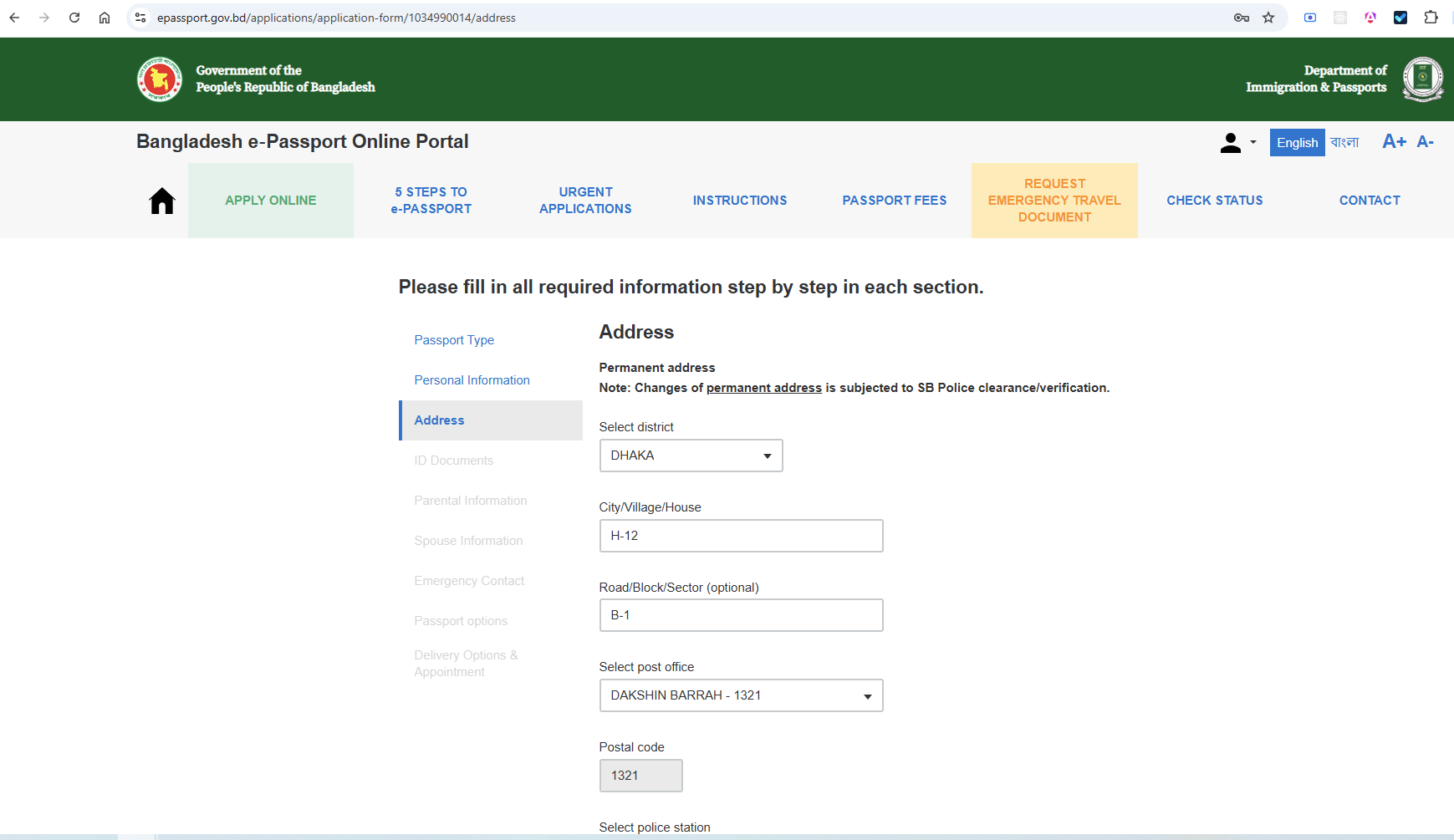
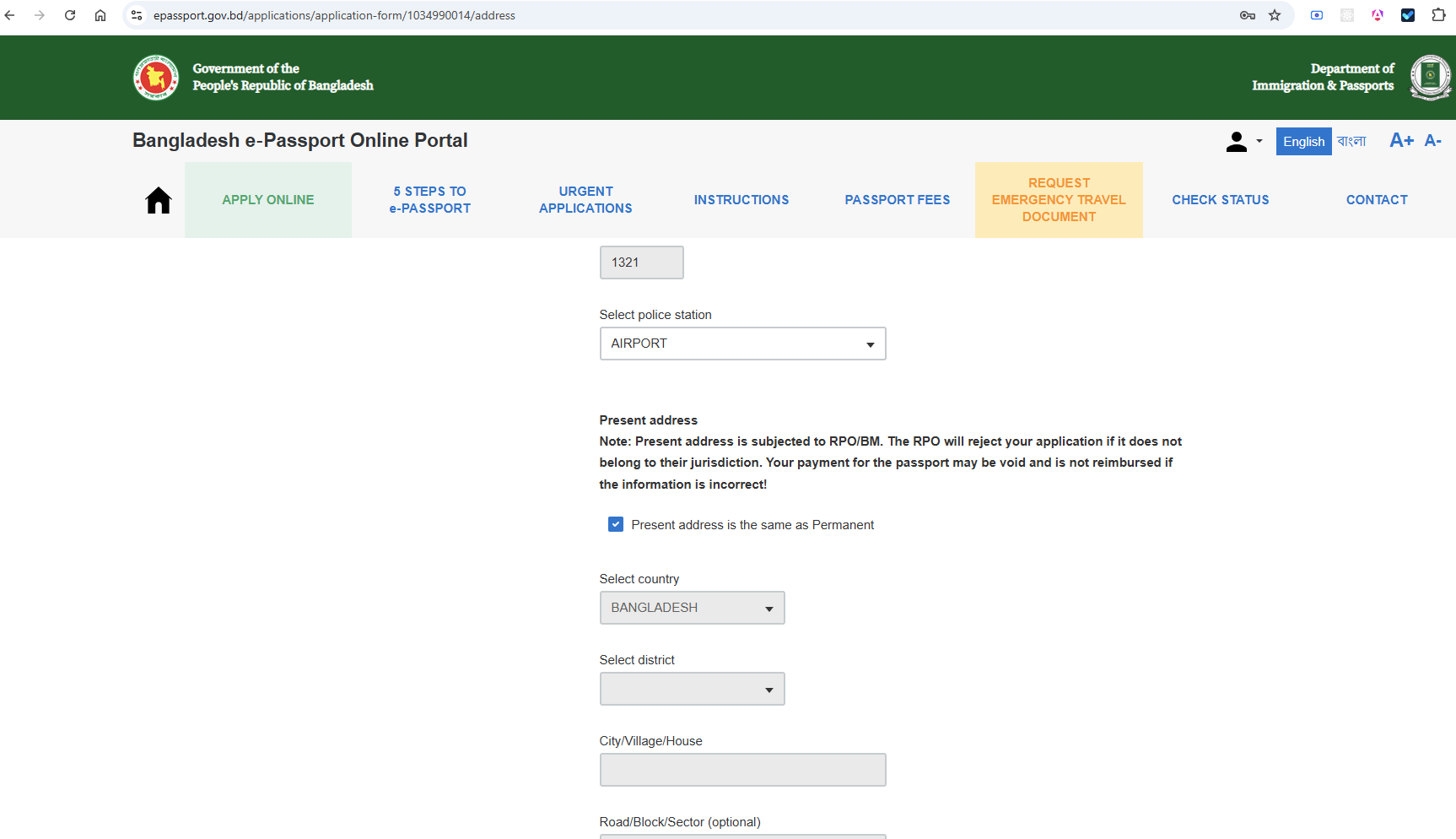
Many applicants prefer to use their permanent address for both sections because police verification may occur at both addresses.
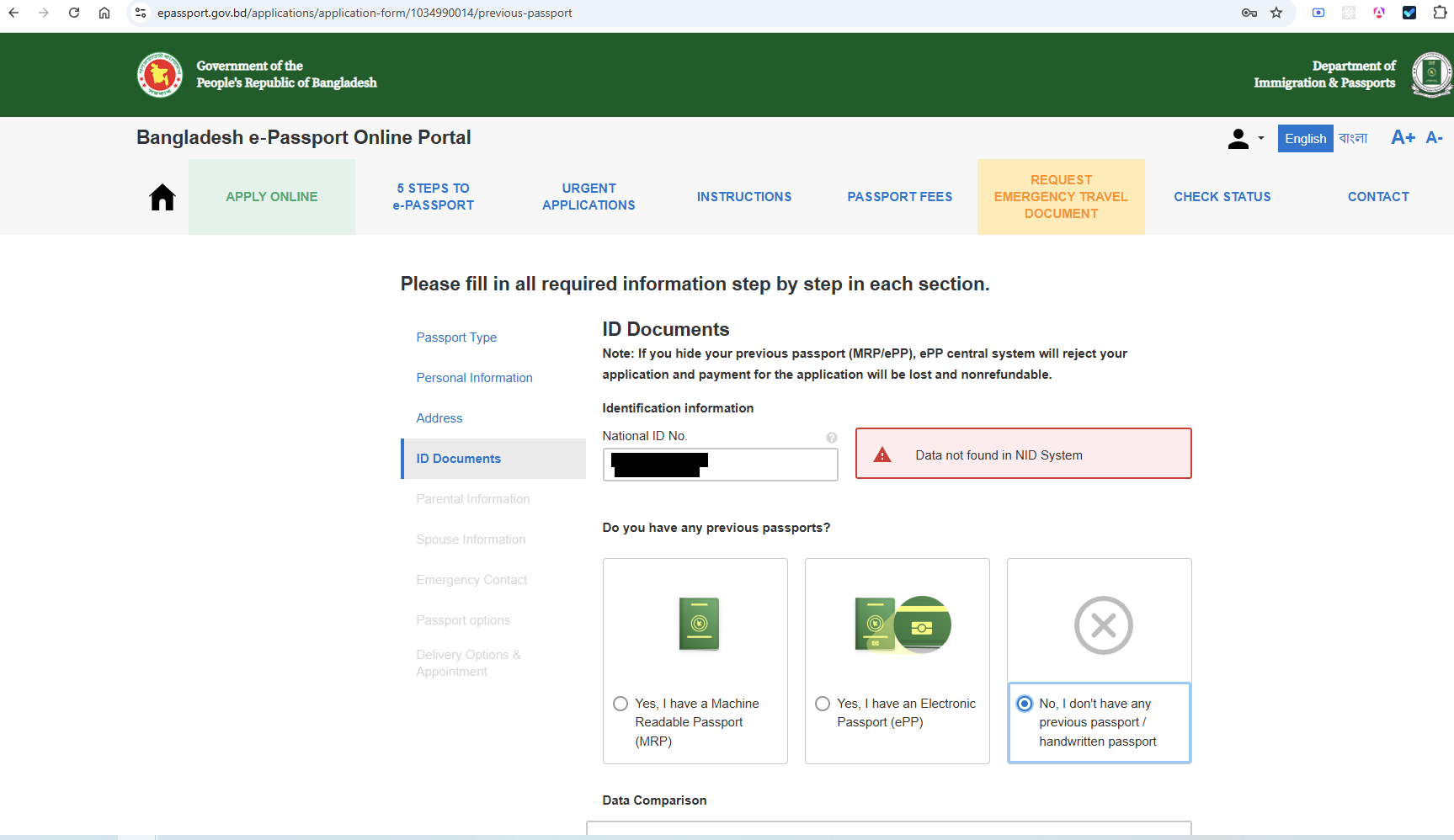
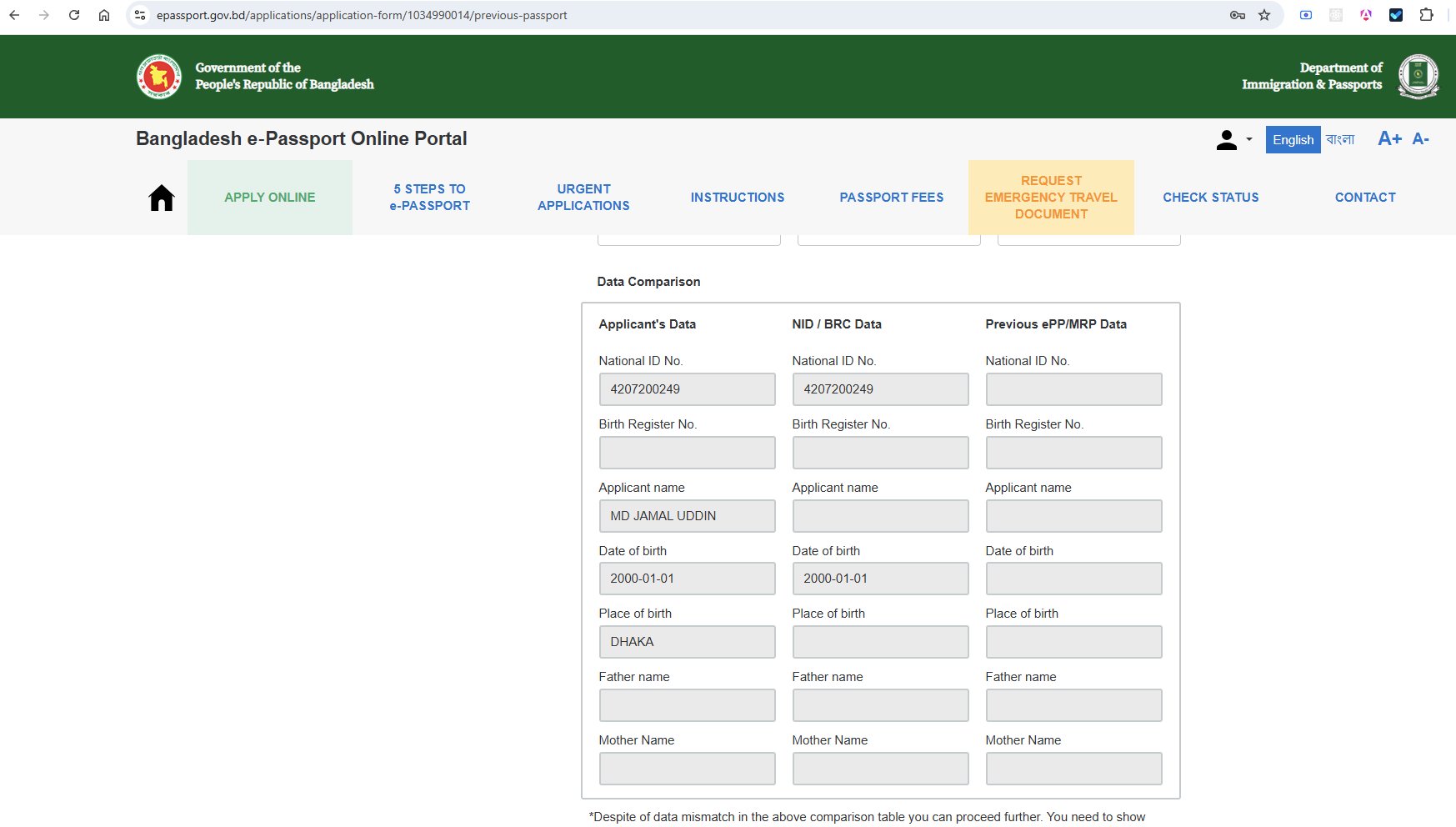
Step 8: Fill NID Information
Enter your National ID card information carefully. Even if the system shows “Data not found in NID system”, you may still be able to continue your passport application process.
Step 9: Fill Parental Information
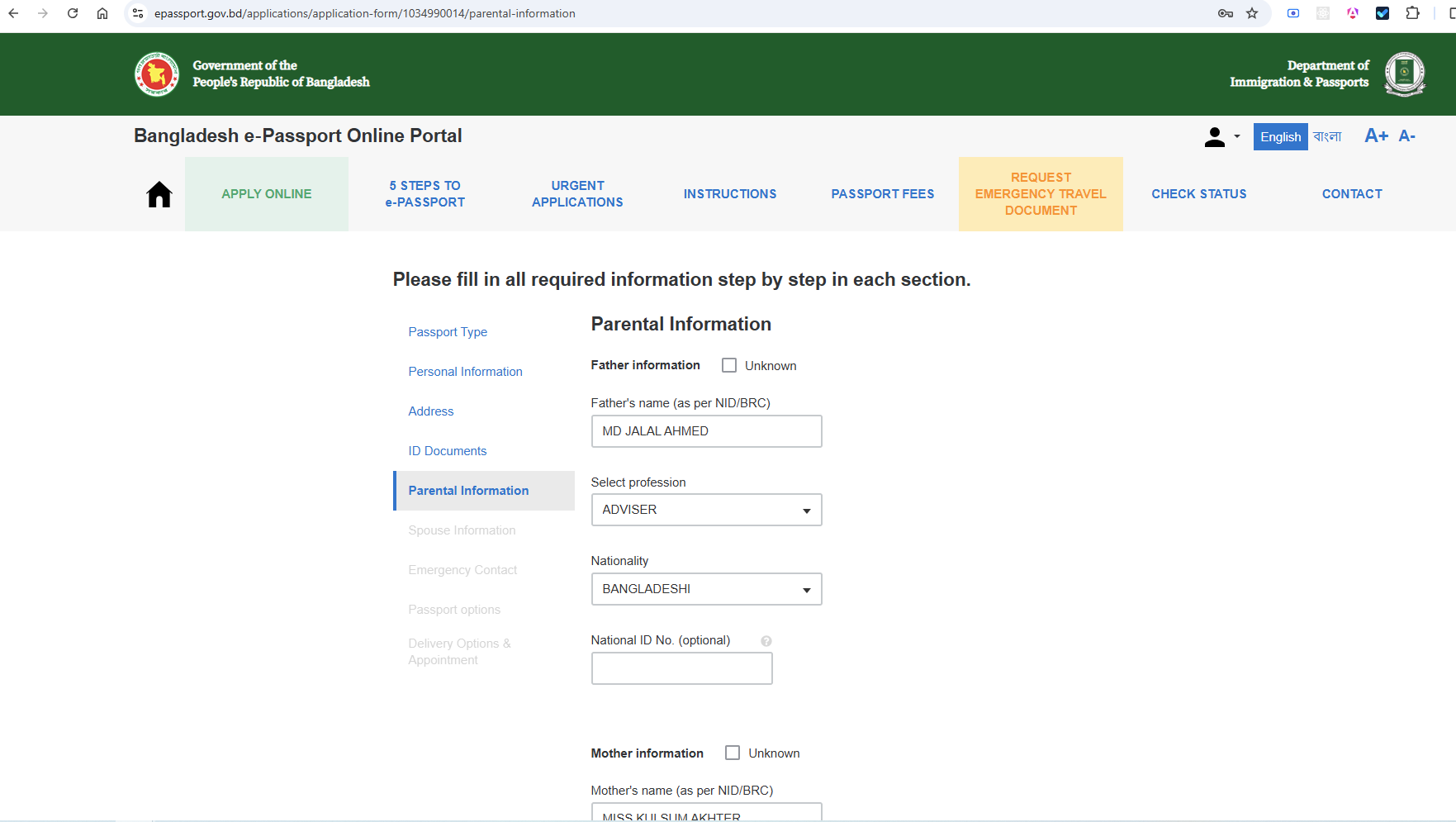
Fill up your father’s and mother’s information according to their NID cards and official documents.
Step 10: Fill Spouse Information
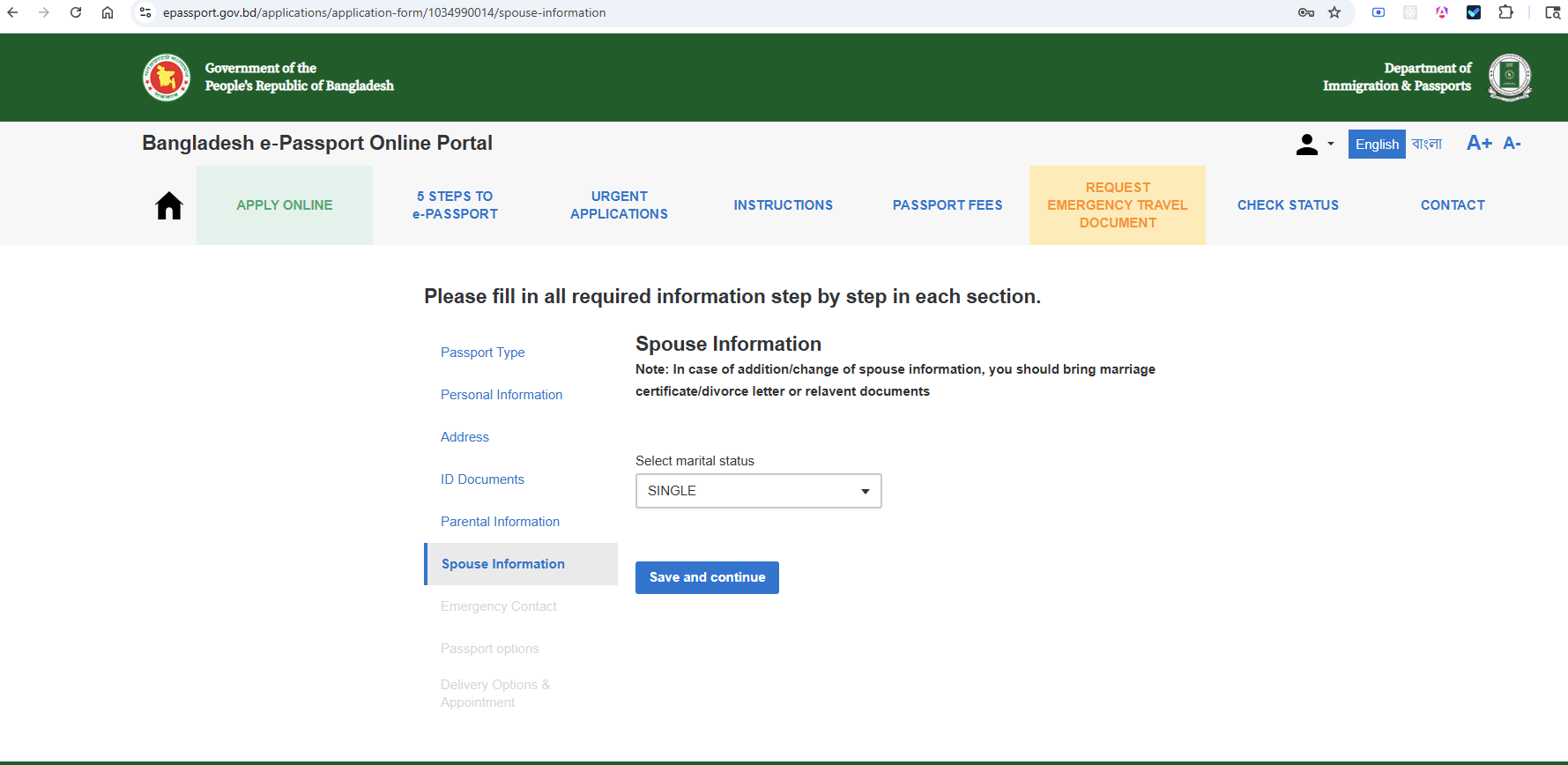
Select your marital status.
If married, you must provide spouse information. Your marital status will be printed on your passport.
Step 11: Emergency Contact Information
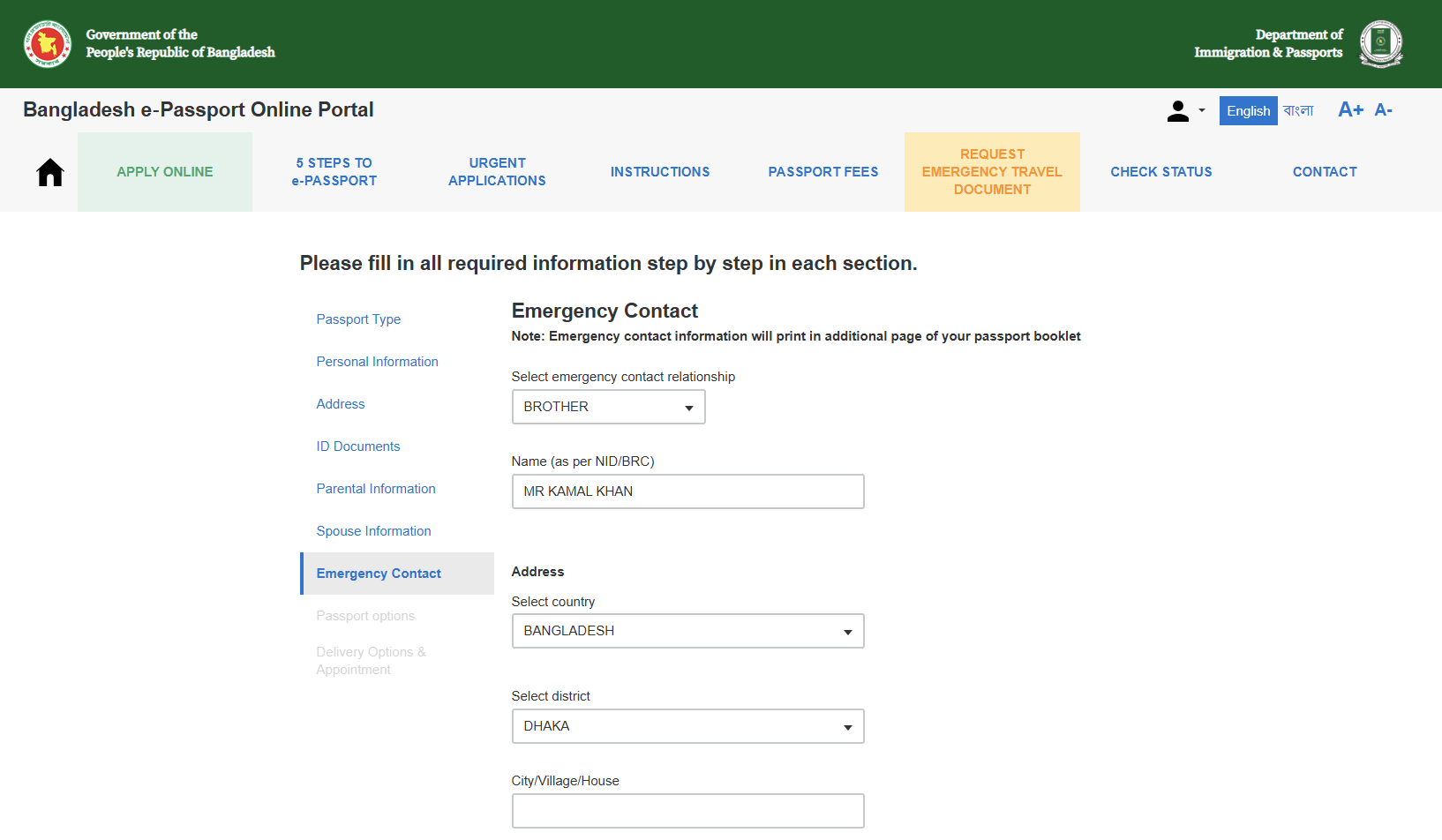
Enter the information of your emergency contact person. This information may also appear in your passport records.
Step 12: Select Passport Pages & Validity
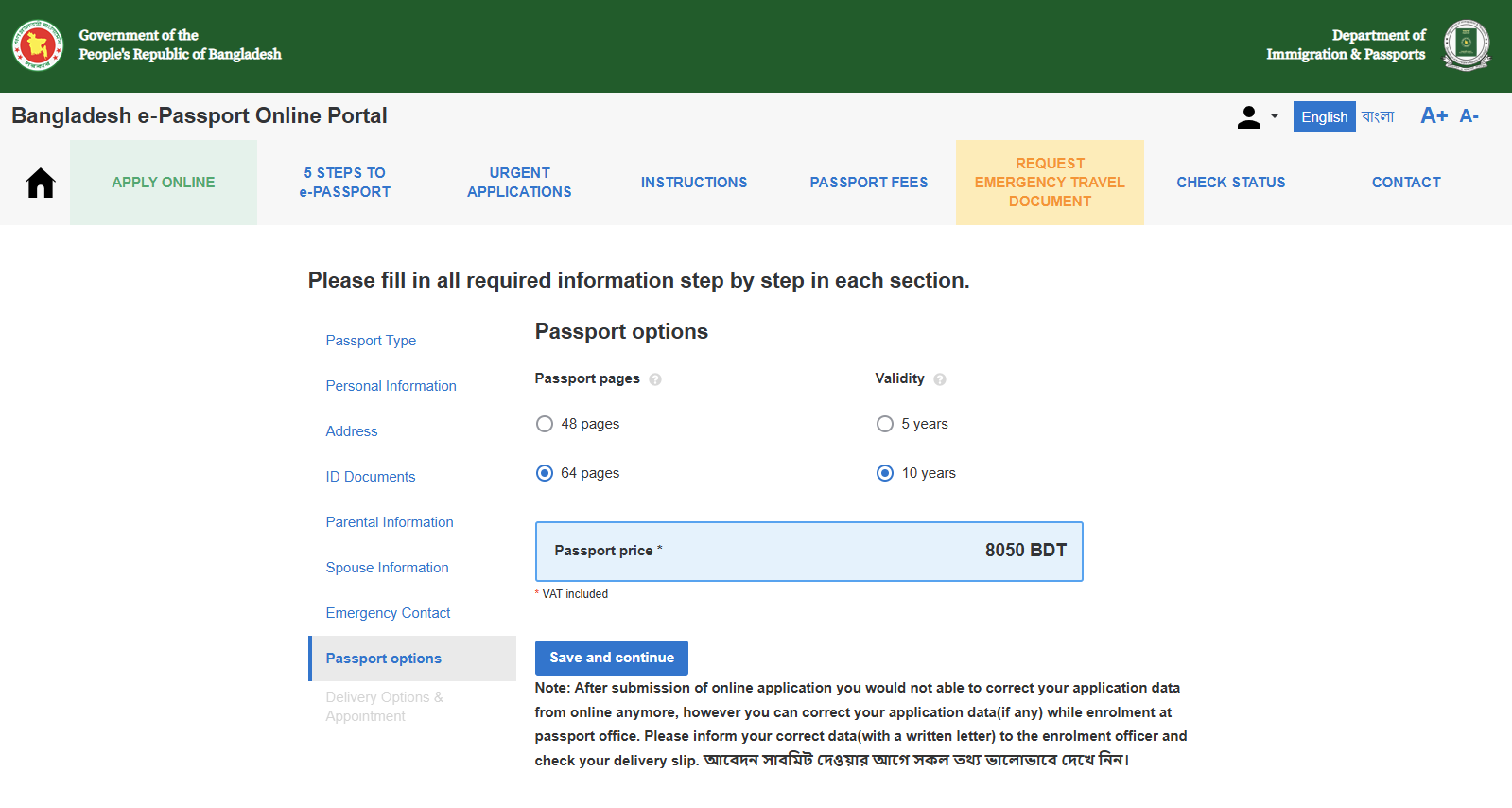
Select the number of passport pages and validity period.
Many applicants prefer choosing a 64-page passport with 10 years validity for long-term convenience.
Step 13: Delivery Options & Appointment
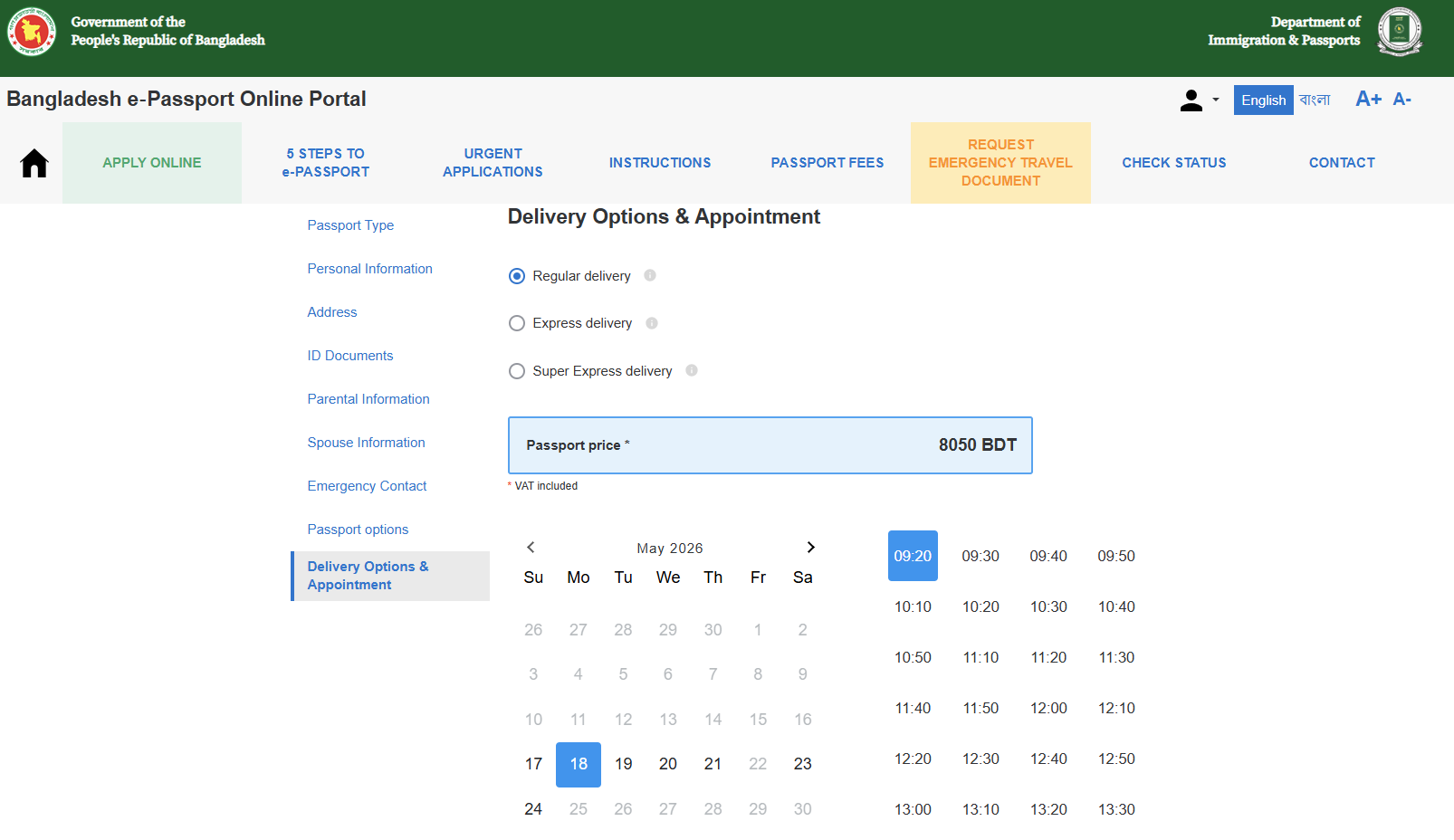
Select your preferred delivery option such as Regular, Express, or Super Express.
Then choose an appointment date and time for biometric registration at your selected passport office. The total fee will be shown on this page.
Step 14: Final Review & Confirmation
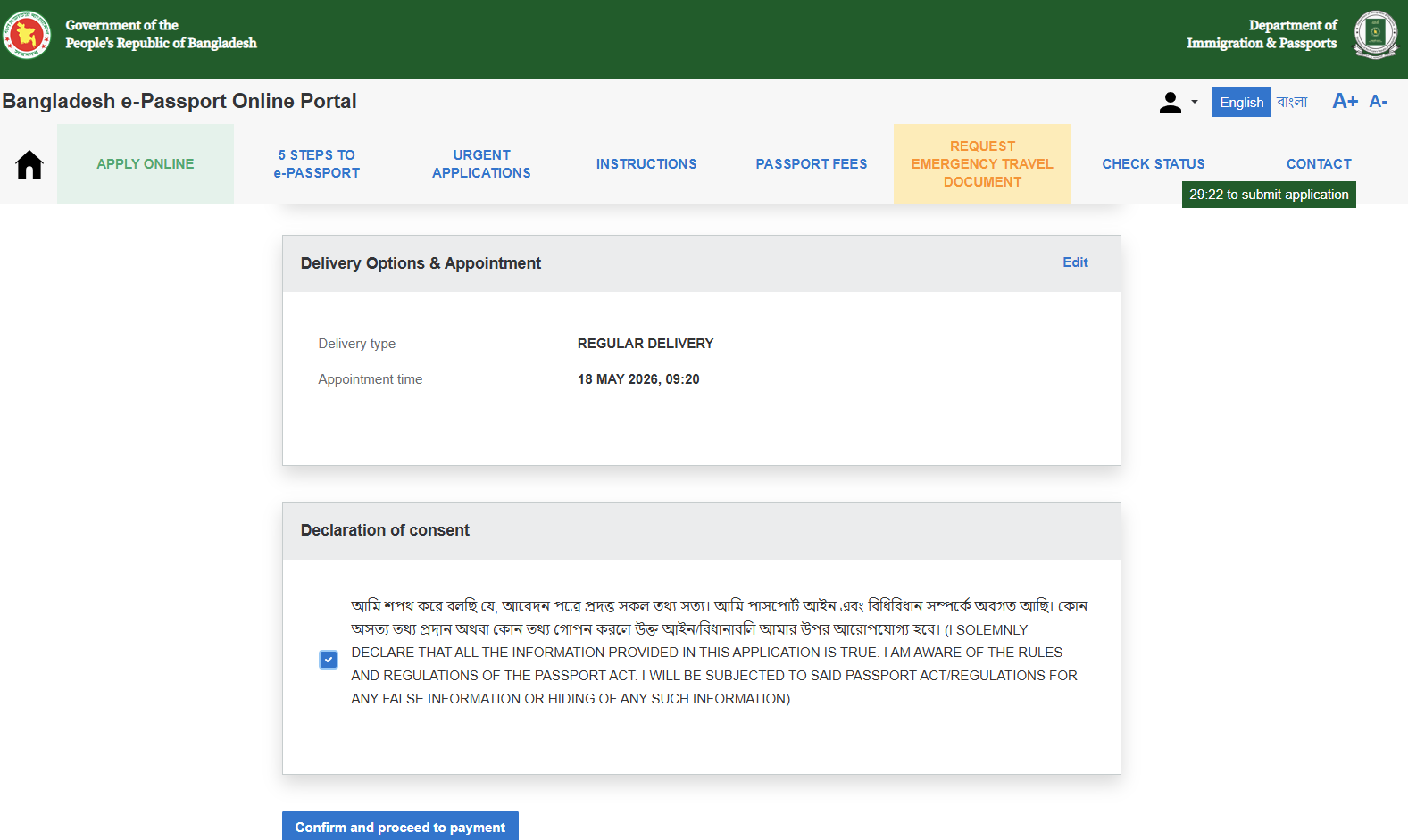
Carefully review all the information you have entered. If anything is incorrect, go back and fix it. Then click the “Proceed to Payment” button to continue.
Step 15: Select Payment Method
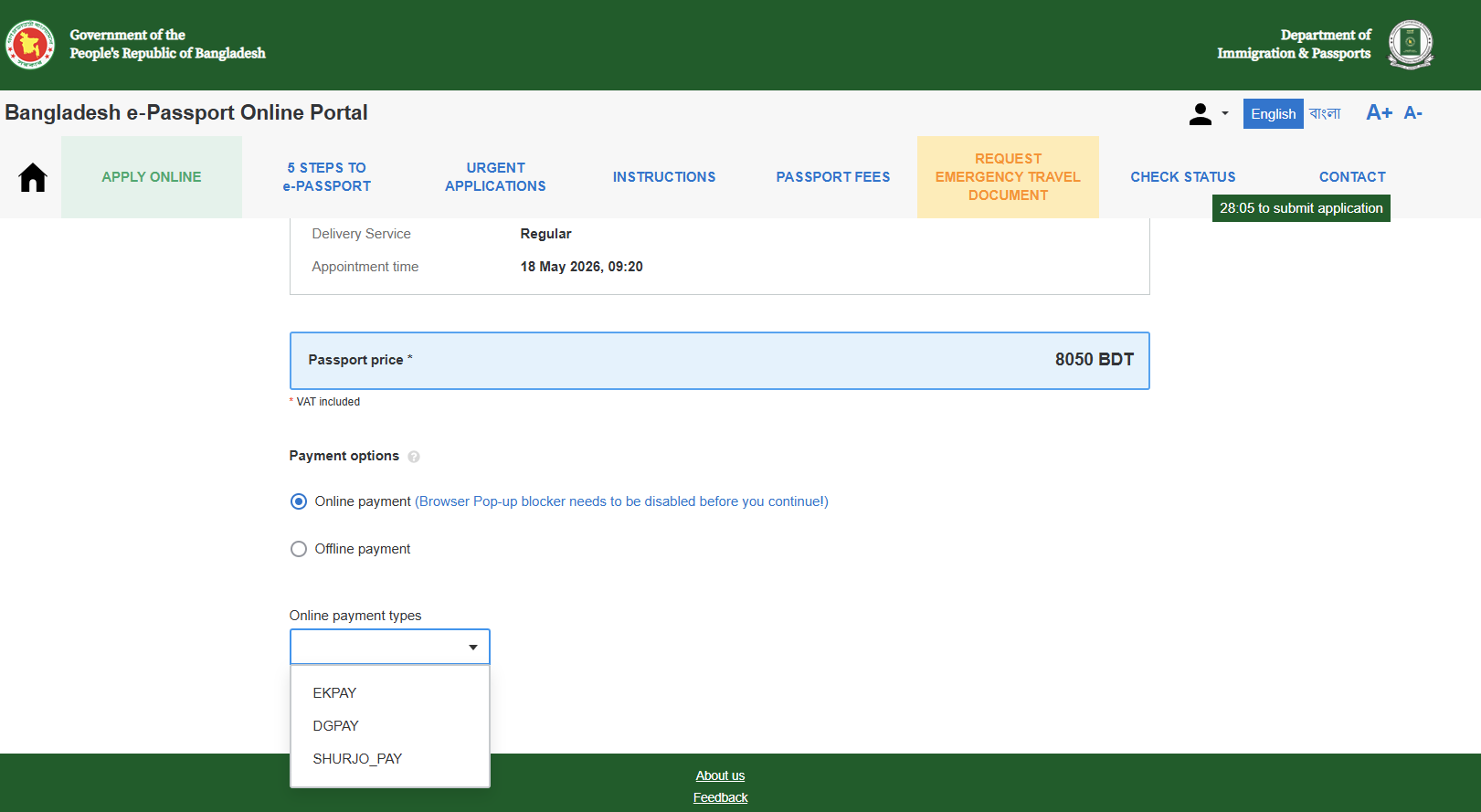
Choose online payment option for convenience. You can select EKPAY, which will redirect you to the official payment gateway.
Step 16: Complete Payment via Gateway
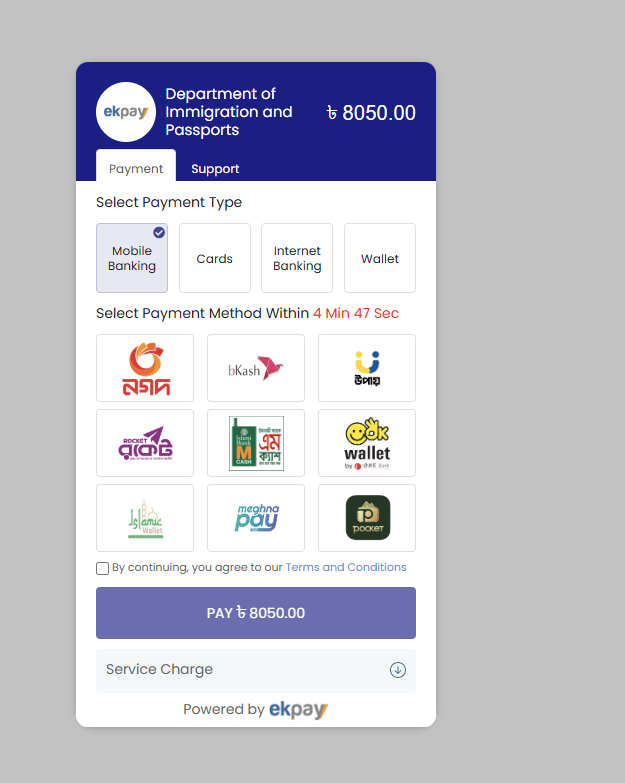
From the payment gateway, you can complete payment using bKash, credit/debit card, or other available options.
Step 17: Download Application Documents
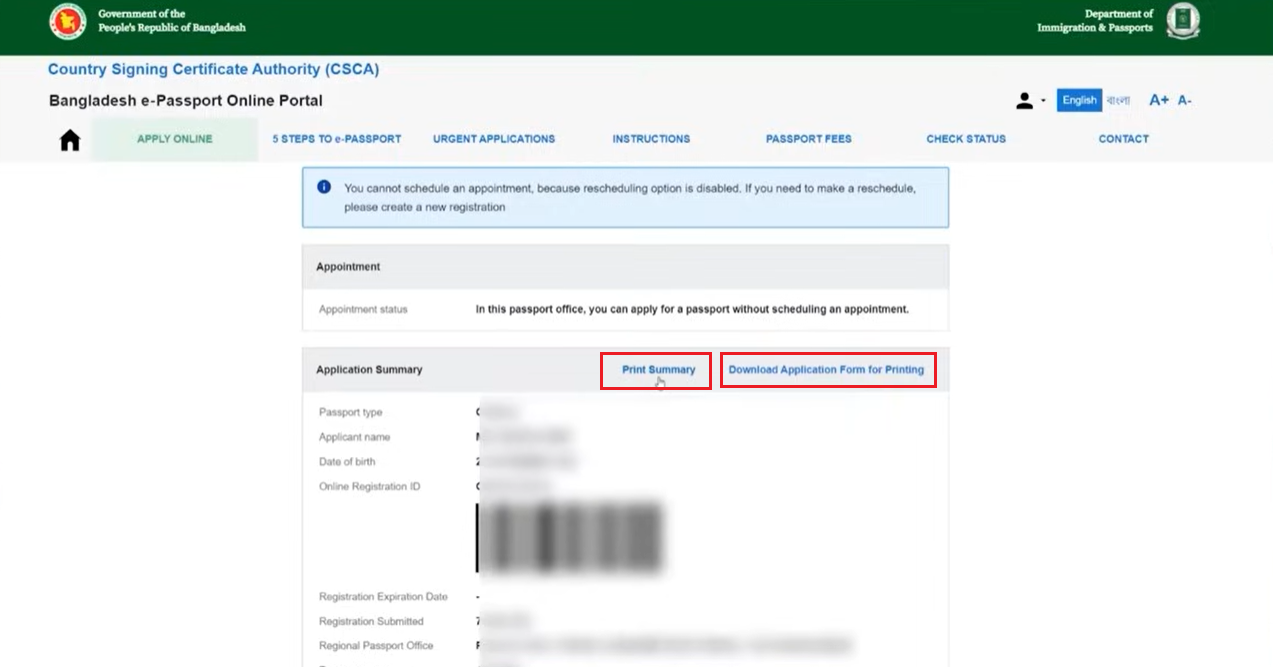
After successful payment, you will be redirected to the summary page.
Download “Print Summary” and “Application Form for Printing”.
Save your Online Registration ID carefully as it will be required later.
Step 18: Download Payment Slip
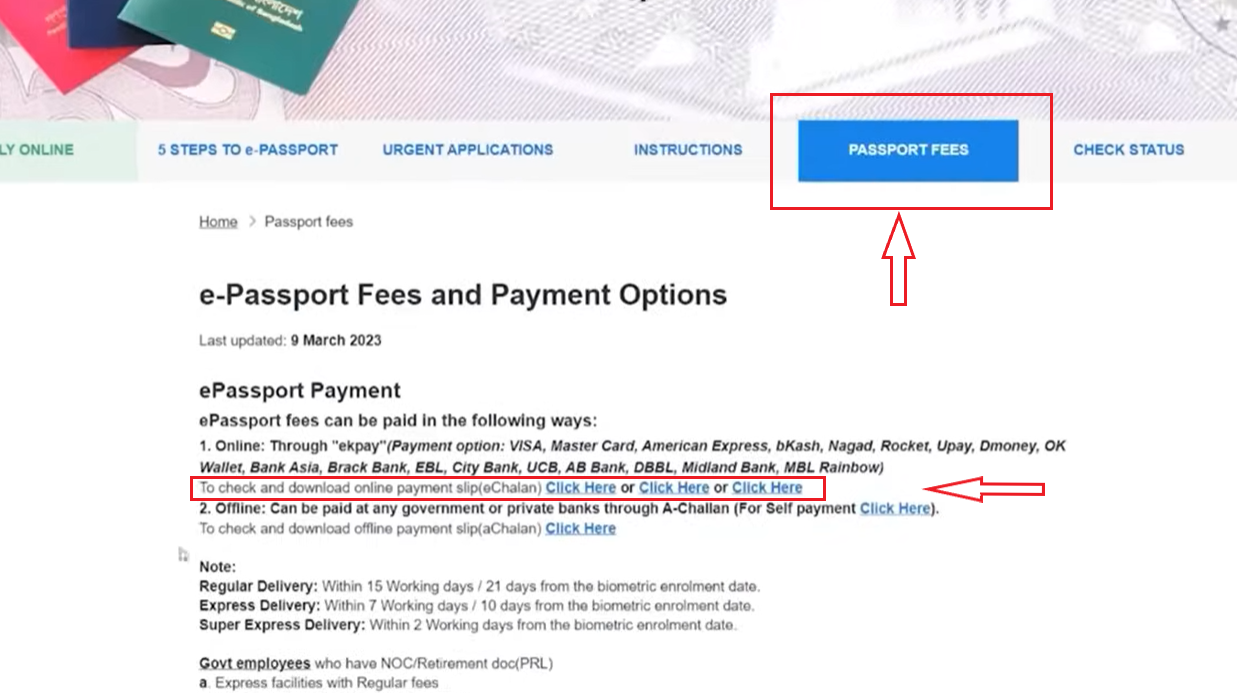
Go to the “Passport Fees” tab and click on the link to download the online payment slip using your application ID.
Step 19: Download Bill & Final Documents
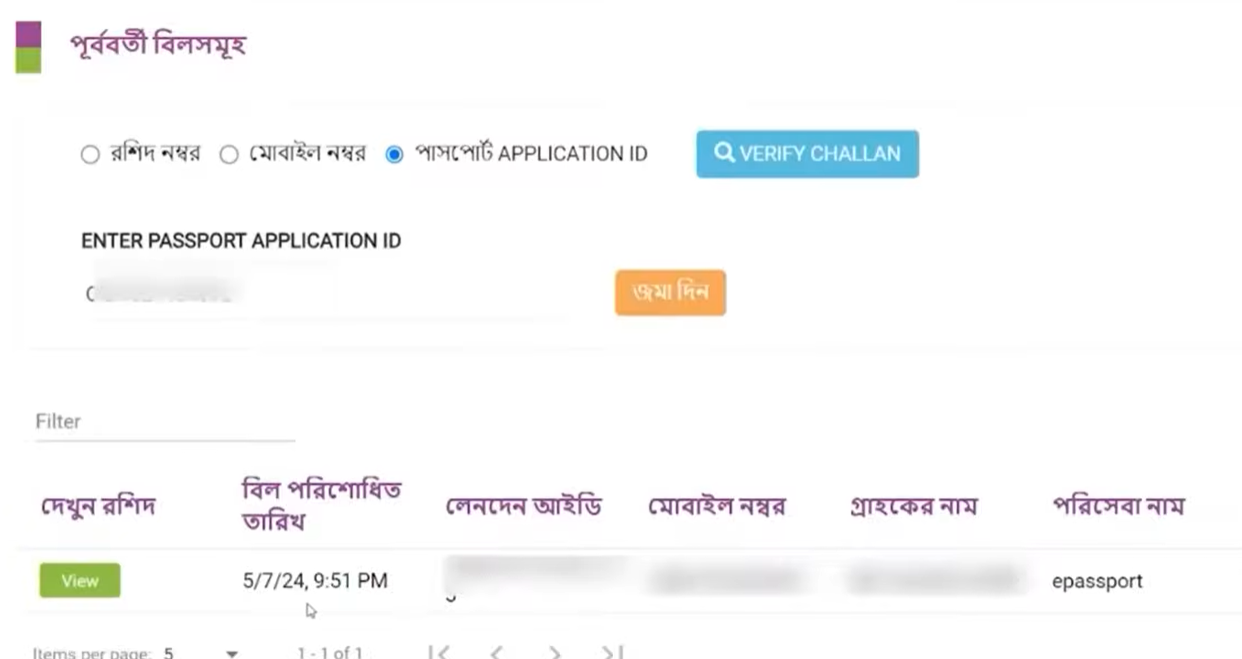
Enter your Application ID and view your bill details.
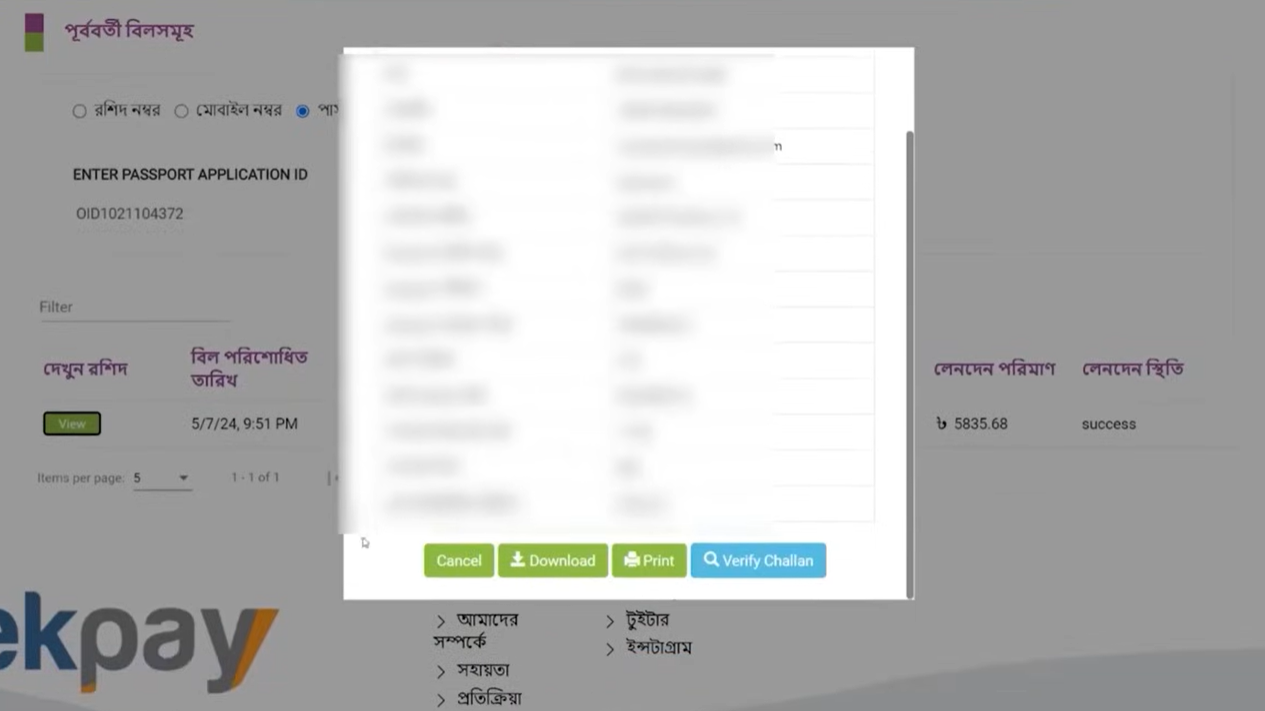
Download the payment challan and keep all documents safely for your biometric appointment.
Required Documents for Bangladesh e-Passport Application
- Printed application copy
- Printed application summary
- Payment slip / challan
- NID photocopy
- Original NID card
- Electricity bill copy
- Birth Certificate
- Kabin Nama (if married)
- GO / NOC for government employees
Biometric Registration & Police Verification
After completing the online application process, print all required documents and visit your selected passport office on the appointment date for biometric enrollment.
You must carry your ORIGINAL NID card during biometric registration. Without the original NID card, your biometric process may not be completed.
During police verification, officers may ask for supporting documents such as NID copy, electricity bill, birth certificate, and other identity-related documents for address verification.
Disclaimer
This website is not affiliated with the Government of Bangladesh and is not an official government website. This page is created as an independent informational guide to help users understand the Bangladesh e-passport online registration process.
Frequently Asked Questions (FAQ)
Can I apply for Bangladesh e-passport online using mobile phone?
Yes. Bangladesh e-passport application can be completed using a mobile phone or computer, although a desktop browser usually provides a better experience.
Which browser is recommended for e-passport application?
Google Chrome browser is commonly recommended for smoother experience during Bangladesh e-passport online application.
Is original NID required during biometric registration?
Yes. You must carry your original National ID card during your biometric enrollment appointment at the passport office.
Which documents are required for police verification?
Police verification may require documents such as NID copy, electricity bill, birth certificate, marriage certificate, and other supporting address-related documents.
Which passport option is recommended?
Many applicants prefer selecting a 64-page passport with 10 years validity for long-term convenience.